
Get started
- Install Handig Role Estimates from the Atlassian Marketplace. It is free for sites with up to 10 users.
- As a project admin, open Project settings → Role estimates and tick the project roles to track, for example Developer, Tester and Designer. The roles are Jira's own project roles: add new ones under Jira settings → System → Project roles.
- Moving from Tracking & Estimation? Import its data instead: the import picks the roles for you.
Estimate and assign by role
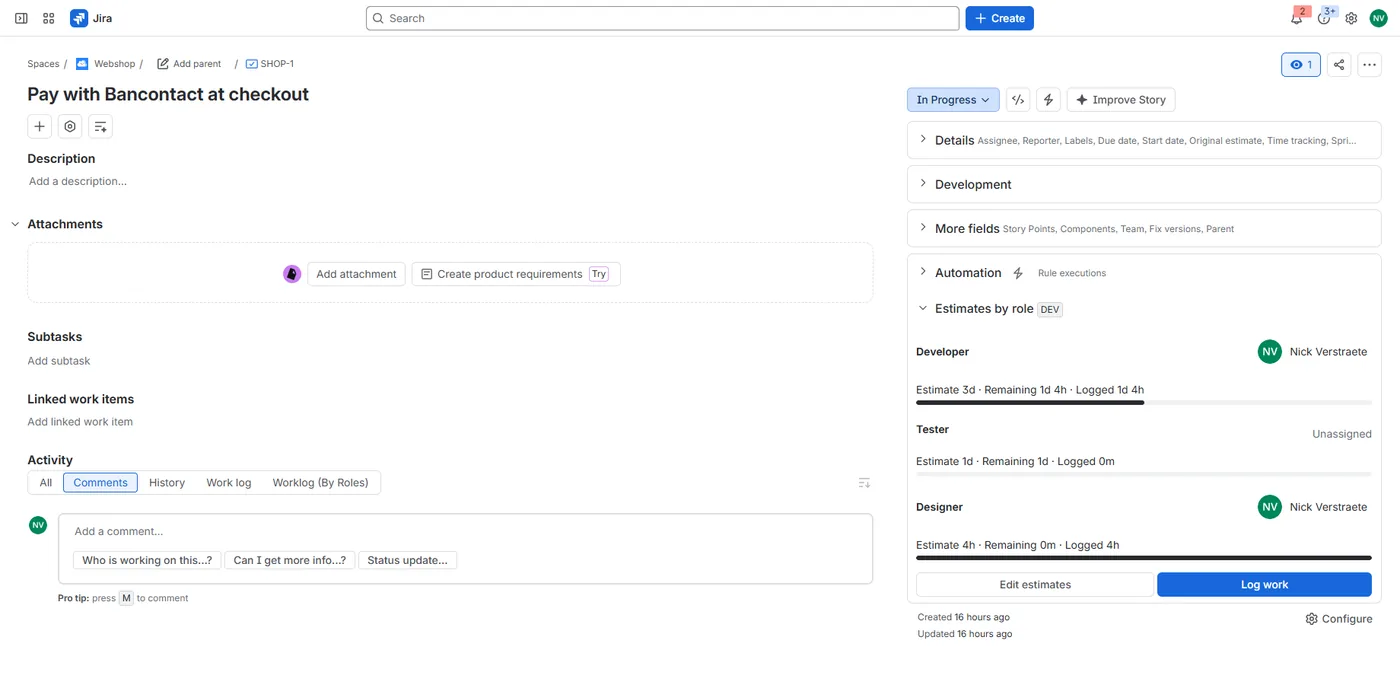
Open an issue and expand Role estimates on the right. Each tracked role shows its estimate, remaining estimate, logged time and assignee. Choose Edit estimates to change them: durations look like 2h, 1d 4h or 30m, and follow your site's working day and week (Jira settings → Time tracking). Leave Remaining empty to start with the whole estimate.
Jira's own Original estimate and Remaining estimate always show the total of the roles, so boards, filters and reports that use them keep working.
Log work by role
Choose Log work in the panel, pick the role, the time spent, the date and an optional description. The app adds a normal Jira worklog in your name and lowers that role's remaining estimate by the time spent. Work logged elsewhere in Jira, without a role, is shown as "Logged without a role".
Workload report
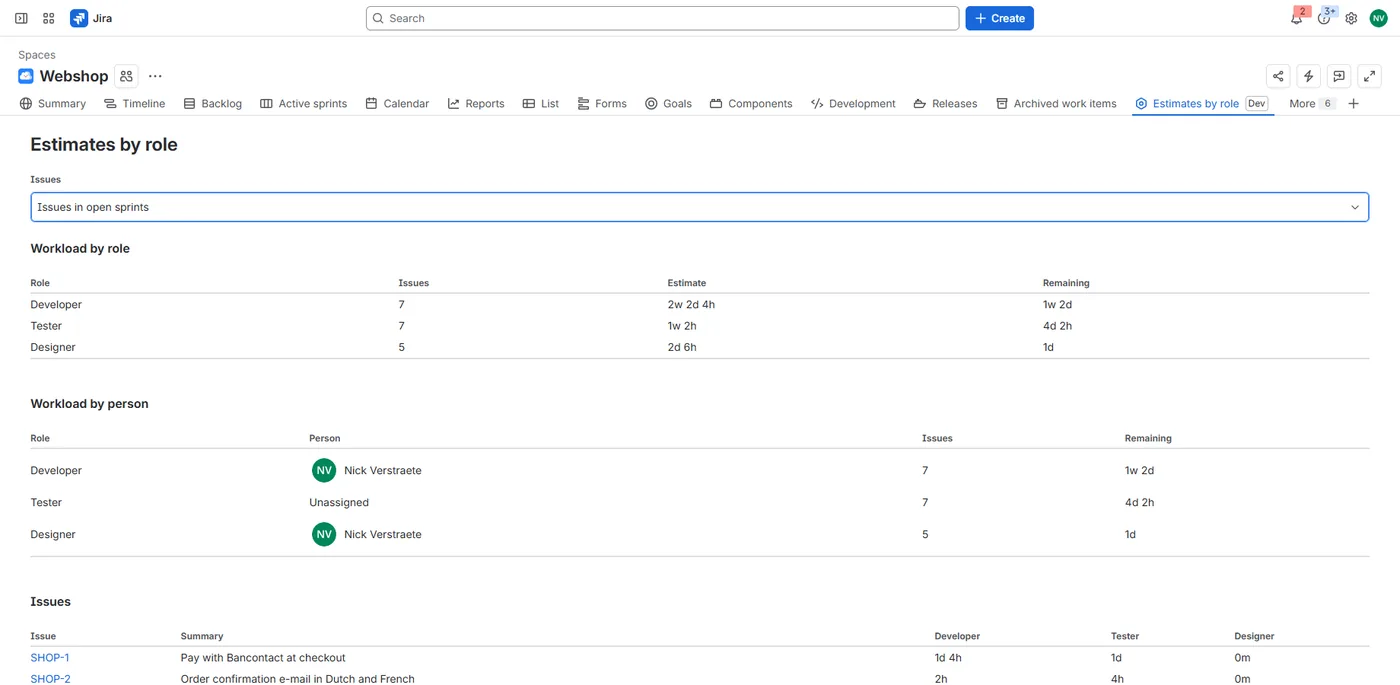
The project's Estimates by role page adds up the estimate and the remaining work per role, shows the remaining work per person in each role, and lists the remaining work per issue and role. Show open issues, the issues in open sprints, or all issues (up to 500).
Search with JQL
roleAssignee = currentUser(): issues where you are assigned to a role;roleRemaining > 0: issues with remaining work for any role (in seconds);roleEstimate > 28800: issues estimated at more than 8 hours in total (in seconds).
Move from Tracking & Estimation
Tracking & Estimation for Jira (Adweb) runs on Atlassian Connect, which reaches end of support in January 2027. Handig Role Estimates copies its data in one click:
- As a Jira admin, open Jira settings → Apps → Import from Tracking & Estimation.
- Choose Find Tracking & Estimation data. The list shows every project that tracks roles in Tracking & Estimation.
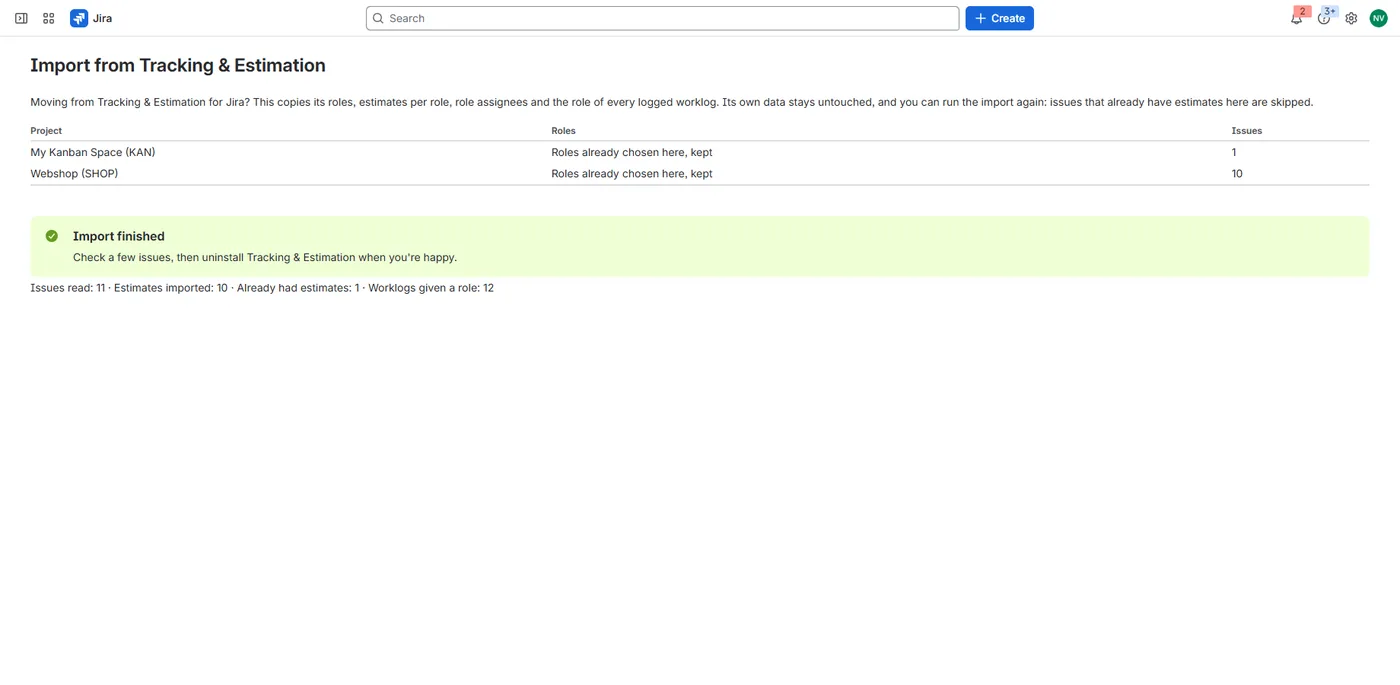
- Choose Import. For each project the app copies the tracked roles, then for each issue the estimate, remaining estimate and assignee per role, and the role of every logged worklog.
- Check a few issues, then uninstall Tracking & Estimation.
Tracking & Estimation's own data stays untouched. You can run the import again at any time: issues that already have estimates in Handig Role Estimates are skipped, and so are worklogs that already have a role. Run the import while Tracking & Estimation is still installed.
Not in Handig Role Estimates yet: Tracking & Estimation's workflow conditions and validators, its "multiple assignees" post function and its time-tracking provider. Write to support@handig.app if you need one of them: it helps us decide what comes first.
Languages
Handig Role Estimates follows each user's Atlassian language: English, Dutch and French.
Your data
Handig Role Estimates runs on Atlassian Forge. The estimates and role assignees are saved as a property of each Jira issue, and the role of a worklog as a property of the worklog, so they stay with your issues. The roles each project tracks are kept in Forge hosted storage. Role assignees are stored as Atlassian account IDs, never names or e-mail addresses. Nothing leaves Atlassian. Details are in the privacy policy.
Uninstalling Handig Role Estimates
The estimates, role assignees and worklog roles stay with your issues and worklogs. The list of tracked roles per project is removed. If you install the app again, a project admin ticks the roles again and the estimates show up as before. Jira's own estimates and worklogs are not affected.
Help
See Support. We answer within 2 business days.